You set up a cron job or a launchd plist months ago. Is it still running? Did it ever run?
Command-line schedulers give you no feedback, no visibility, and no sense of control.
You forget what you set up. You lose track. You stop trusting it.
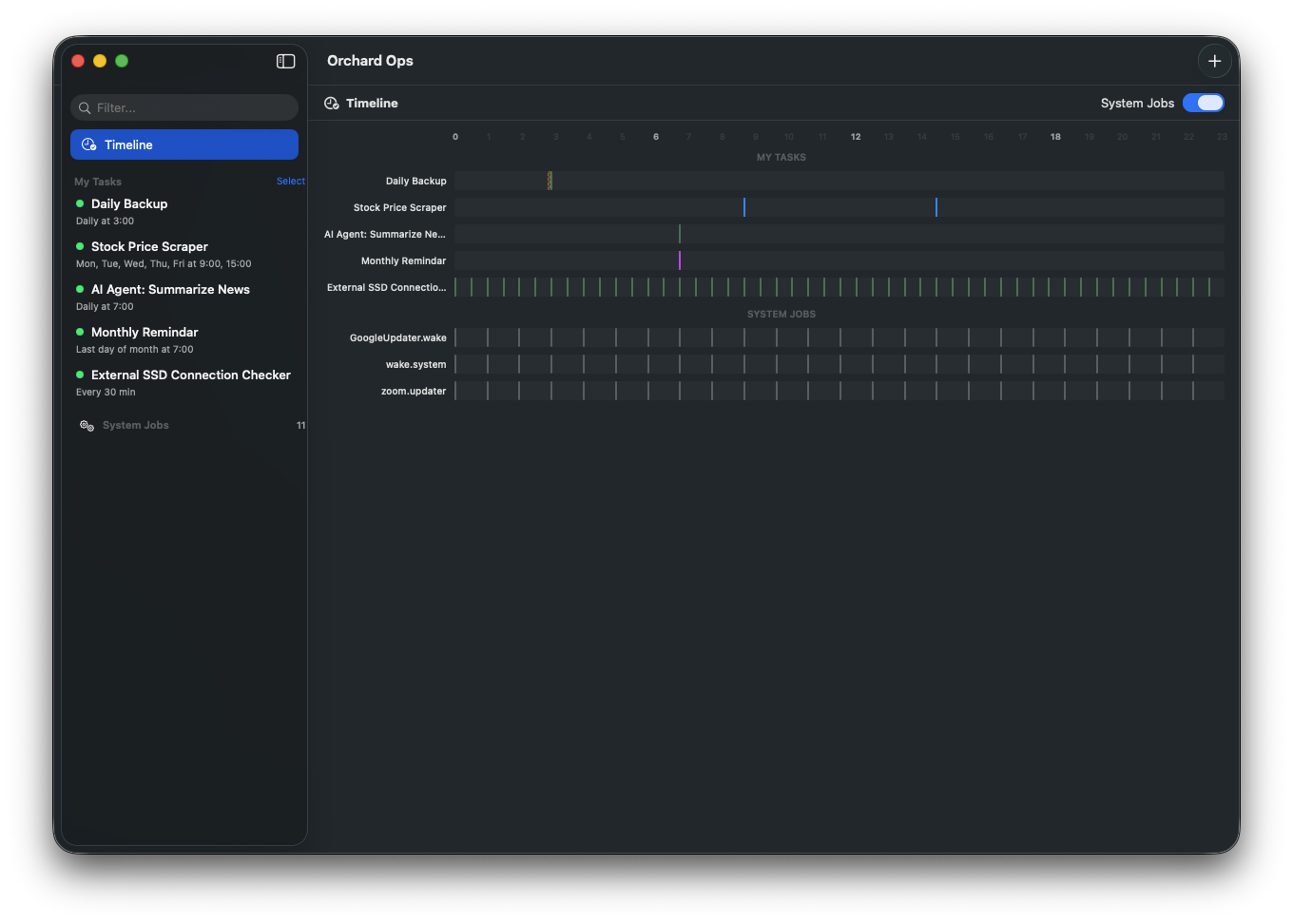
Orchard Ops gives you a timeline — see exactly what runs, and when.
Your Mac was asleep. Your task never ran.
Scheduled tasks don't run when your Mac is sleeping.
You wake up expecting results, but nothing happened — because your Mac didn't.
Orchard Ops wakes your Mac right before each task, then lets it sleep again.
Never miss a scheduled job — even at 3 AM.
What will your Mac do while you sleep?
Set it up once. It runs every day.
🤖
Run AI agents on a schedule
Kick off data collection, content generation, or monitoring scripts automatically — even overnight.
📡
Scrape & sync data daily
Pull prices, news feeds, or API data every morning before you wake up.
💾
Automate backups
Run rsync, database dumps, or custom backup scripts on a reliable schedule.
📬
Send recurring reports & reminders
Email yourself weekly summaries, daily reminders, or scheduled notifications with the built-in Gmail template.
How it works
1
Add a task
Point to any script, CLI command, or Apple Shortcut.
2
Set a schedule
Pick a time — daily, hourly, monthly, or at login. No crontab syntax needed.
3
Walk away
Your Mac handles the rest. Check the timeline anytime to see what ran.
⌨️
Shortcuts Integration
Run Apple Shortcuts on a schedule — pick from your library and go.
📧
Gmail Templates
Built-in email task. Send recurring reminders without extra tools.
🔍
System Job Browser
See all launchd jobs on your Mac — including ones you didn't create.
🤖
Built for AI Agents
Your AI assistant can register tasks via CLI or MCP — you confirm everything in the visual timeline. View CLI docs →
📊
Execution Logs
See when each task ran, how long it took, and whether it succeeded — with exit codes.
🔋
Wake Before Running
Your Mac wakes from sleep right before a scheduled task, runs it, then sleeps again. No missed jobs at 3 AM.
Yes. Orchard Ops works on any Mac — MacBook, iMac, Mac mini, Mac Pro. The wake-from-sleep feature works best when plugged into power, but everything else works anywhere.
What's the difference between Free and Pro?
Only the number of tasks. Free supports up to 3 scheduled tasks. Pro unlocks unlimited tasks. All features are available in both.
Is it a subscription?
No. Pro is a one-time $15 purchase. No recurring charges, no expiration.
Why isn't it on the App Store?
Orchard Ops needs access to launchd and pmset to schedule tasks and wake your Mac — features that aren't allowed under App Store sandboxing. It's distributed directly with Apple notarization for security.
How does it update?
Automatic updates via Sparkle. You'll get a notification when a new version is available — one click to update.
Will it affect my existing cron jobs or launchd tasks?
No. Orchard Ops creates its own launchd jobs and never modifies existing ones. You can browse system jobs in the app, but they're read-only.
 Orchard Ops